
Liftosaur Integration
The Liftosaur integration allows you to automatically import workouts, exercise sets, and body measurements from Liftosaur into SparkyFitness.
Prerequisites
- A Liftosaur account.
- An active Liftosaur Pro subscription (required by Liftosaur to generate API keys).
Setup Instructions
1. Generate an API Key in Liftosaur
- Open the Liftosaur app or web interface.
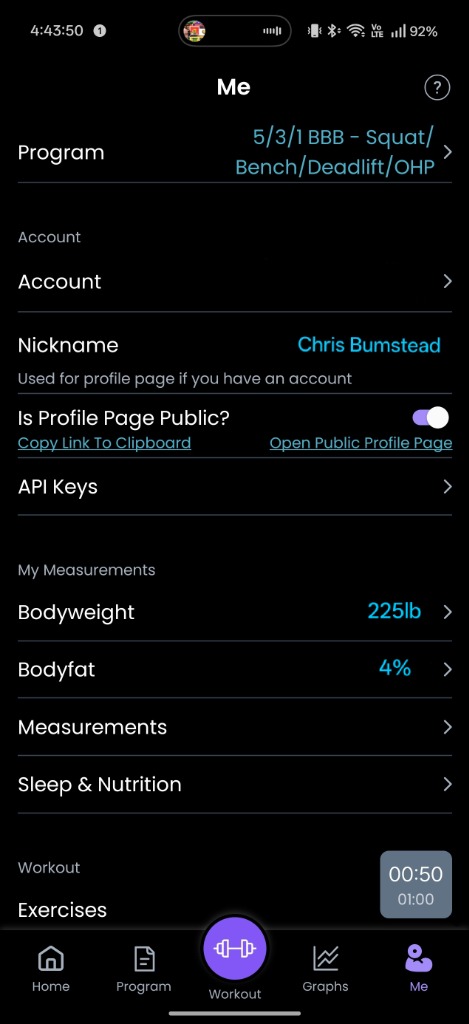
- Tap the Me tab at the bottom right and select API Keys.
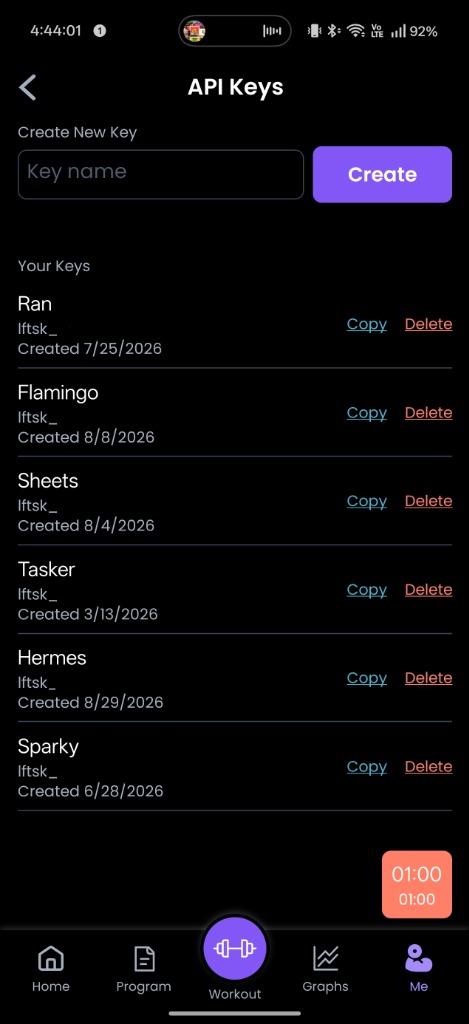
- Under Create New Key, enter a key name (such as
Sparky) and tap Create. - Tap Copy next to your newly created key (keys begin with
lftsk_...).
2. Connect in SparkyFitness
- In SparkyFitness, navigate to Settings → External Providers (or Food & Exercise Data Providers).
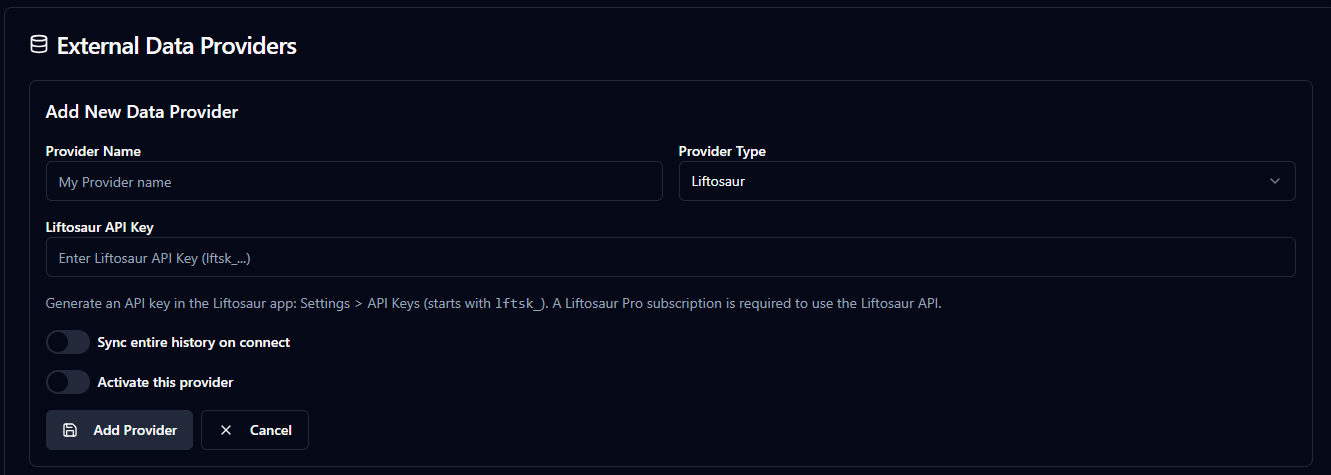
- Click Add New Data Provider and select Liftosaur.
- Paste your Liftosaur API Key (
lftsk_...). - (Optional) Toggle Full sync on connect if you wish to import your entire historical Liftosaur workout and measurement log immediately.
- Click Save.
Data Synchronized
Workouts & Exercises
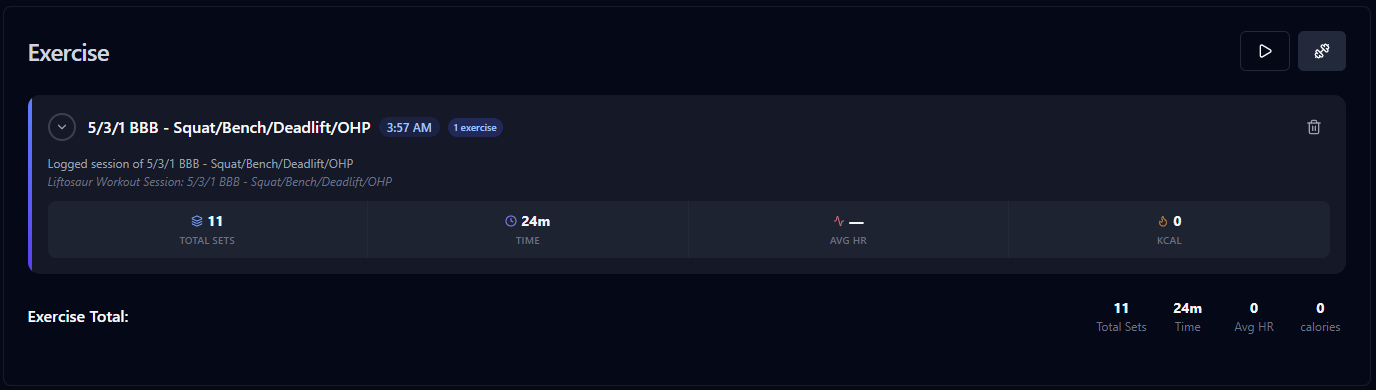
- Workouts: Workouts completed in Liftosaur are automatically parsed and imported into SparkyFitness.
- Sets, Reps, and Weights: Completed sets, warmup sets, repetitions, weights (kg/lb), RPE, and notes are preserved. Reusable workout presets and session entries are created so workouts group cleanly in your Diary.
Body Measurements
- Measurements: Body weight and measurement entries logged in Liftosaur are automatically imported into SparkyFitness.
- Which ones: weight, body fat, neck, waist and hips map to your check-in measurements; chest, shoulders, biceps, calves, thighs and forearms map to custom measurement categories of the same name.
- Left and right: SparkyFitness keeps one value per limb measurement, so the right-side value from Liftosaur is the one imported (for example, Liftosaur's
biceps_rightbecomesBiceps). Left-side values are not imported.
Sync Schedule & Manual Controls
- Automatic Hourly Sync: SparkyFitness schedules a background synchronization task every hour for all active Liftosaur providers.
- Sync Now: Click Sync Now on the Liftosaur provider card at any time to trigger an immediate sync.
- Sync Range: Click Sync Range to selectively import data within a custom date range.
Privacy & Security
IMPORTANT
Strictly Private:
- Liftosaur credentials and personal workout data are strictly private (
is_strictly_private = TRUE) and are never shared with delegates, family, or friends through account sharing permissions. - Credentials are encrypted at rest using AES-256-GCM.
- All network communication with Liftosaur is strictly verified over HTTPS.
Contributing Mock Data
We are constantly working to improve external integrations. If you notice workout data formatted unexpectedly or encounter issues with unique exercise routines, you can help by providing anonymized Liftohistory or API mock data.
Join the CodeWithCJ community on Discord and reach out to help improve the integration!